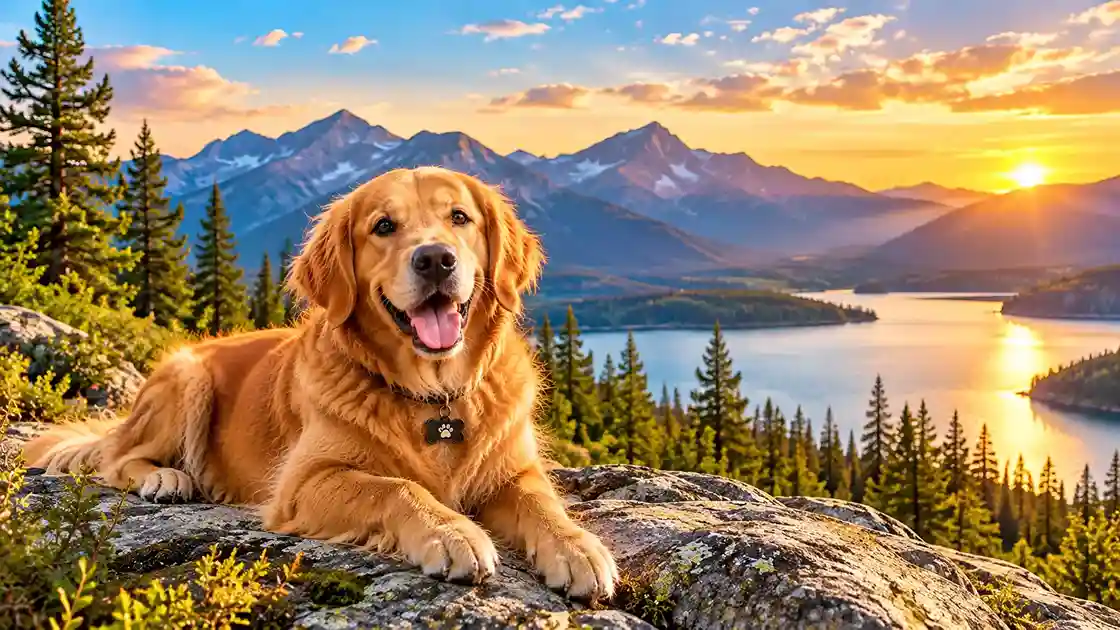
Every time you unlock your phone, a happy dog face can make your day a little brighter. A great dog wallpaper is more than a cute picture: it can show off your own pup, remind you of your favorite trail, or simply make your screen feel friendlier. In this guide, you will learn how to choose a dog wallpaper, where to find free images and what their licenses say, how to take your own photo, and how to set it on your phone. License terms and menu names can change, so always check the official pages linked below.
What Makes a Great Dog Wallpaper?
A good dog wallpaper balances charm and practicality. Your screen has icons, widgets, and a clock, so the image needs room to breathe.
Look for a Clear Focal Point
Choose a photo where the dog’s face or full body stands out. Busy backgrounds can make icons hard to read. A simple background such as a field, a trail, or a sky usually works best.
Leave Space for Icons and the Clock
Many lock screens place the time near the top. A photo with the dog lower in the frame or off to one side leaves room for the clock and notifications.
7 Dog Wallpaper Ideas to Try
- Your own dog: The most personal choice. A recent photo is better than a blurry old one.
- Dog on the trail: Perfect if you hike together. Mountains, forests, and fall leaves make a great backdrop.
- Puppy close-up: Big eyes and soft fur are hard to beat.
- Silhouette at sunset: A dog’s shape against a glowing sky is simple and striking.
- Breed portrait: Pick the breed you love, whether or not it matches your own pet.
- Minimal or illustrated art: Clean line art leaves plenty of room for icons.
- Seasonal dog wallpaper: Swap in snow, autumn, spring, or beach scenes through the year.
Where to Find a Free Dog Wallpaper
Many photo sites offer free images, but the license terms matter, especially if you plan to share or sell anything.
Unsplash
According to the Unsplash License, you can download, copy, modify, distribute, and use images “for free, including for commercial purposes.” Attribution is not required, but Unsplash says credit is appreciated when possible. The main restriction is that you cannot compile its images to replicate a similar or competing service.
Pexels
The Pexels License says all photos and videos on Pexels are free to use and can be edited. Credit is not required but is appreciated. Pexels also states that you may not sell unaltered copies of a photo, and that identifiable people may not appear in a bad light or in a way that is offensive. It also prohibits redistributing or reselling media on other stock or wallpaper platforms.
A Quick Note on Licenses
Personal use as a phone background is usually simple, but license terms can change. If you plan to post, print, or sell anything, read the current license on the site first. When in doubt, use your own photos.
How to Take Your Own Dog Wallpaper Photo
Your own photo is often the best dog wallpaper because it is truly yours. Follow these steps.
- Pick good light. Soft morning or late afternoon light is flattering.
- Get down to your dog’s level. Eye-level photos feel more personal.
- Use a simple background. Grass, a trail, or a plain wall works well.
- Hold the phone steady. Tap the screen to focus on the dog’s eyes.
- Take lots of photos. Dogs move quickly, so burst shots help.
- Leave space on the screen. Shoot a little wider than you think, so you can crop for your clock and icons.
- Pick your favorite. Check that it looks sharp when zoomed in.
Safety Notes for Photo Time
- Keep your dog on a leash or in a safe area when you are near roads, water, or cliffs.
- Do not lure your dog onto ledges or rocks for a better shot.
- Bring water and take breaks.
- Respect other hikers and keep a polite distance from wildlife.
How to Set a Dog Wallpaper on Your Phone
Menu names can change between phone models and software updates, so check your device’s official help page if something looks different.
On a Pixel Phone
Google’s Pixel help page says to touch and hold an empty space on the home screen, then tap “Wallpapers & style.” Tap “Change wallpaper,” then “Choose a photo” to use one of your own images. Choose the lock screen or home screen, tap “Preview,” and then “Apply.”
On an iPhone
Apple’s support site describes how to choose an image or photo as wallpaper for the Lock Screen or Home Screen. Because menus change with software updates, follow the current steps on Apple’s “Change the wallpaper” support page for your iOS version.
On Other Android Phones
Steps vary by brand. Look in your phone’s settings for a wallpaper or display option, or press and hold an empty space on the home screen.
Staying Safe When You Download
Free wallpaper sites can be a good source, but not every site is safe.
- Download from trusted sources.
- Be wary of pop-ups, forced app installs, or prompts for personal information.
- Check that images are free to use before you share them.
Dog Wallpaper for Hikers
If you love trail time, your phone can celebrate it. A photo of your dog on a favorite overlook makes a great dog wallpaper, and it is a nice reminder to plan your next outing. Browse our hiking trails guides for dog-friendly ideas, and get your own gear ready with our tips on how to choose hiking boots. Heading to New England? Our hiking trails in New Hampshire roundup is a great place to start. Always check each trail’s dog policy.
Photo Walk Checklist
- Charged phone and extra storage space
- Leash, collar or harness, and ID tag
- Water and a collapsible bowl
- Waste bags
- A towel for muddy paws
Sample Plan for a Dog Wallpaper Photo Day
- Morning: Walk your dog first so they are relaxed.
- Mid-morning: Pick a simple, safe spot with soft light and take close-ups and wide shots.
- Afternoon: Pick your favorites and crop for your screen.
- Evening: Set your new dog wallpaper and enjoy it.
Frequently Asked Questions
What is the best dog wallpaper for a phone?
The best dog wallpaper is one with a clear focal point, a simple background, and room for icons and the clock. Your own photo is often the best choice.
Is it free to use a dog wallpaper from Unsplash or Pexels?
Both sites say their photos are free to use under their own licenses. Read the current terms on each site, especially if you plan to share or sell anything.
How do I set a dog wallpaper on my phone?
Open your wallpaper settings, choose a photo, and apply it to your lock screen, home screen, or both. Steps vary by phone, so check your device’s help page.
How do I make my own dog wallpaper?
Take a clear, well-lit photo at your dog’s eye level, shoot with space around your pup, and crop for your screen.
Is it safe to download a dog wallpaper from any website?
Not always. Use trusted sources and avoid sites that push downloads or ask for personal details.
Final Thoughts
A dog wallpaper is a small way to bring a smile to your day. Choose a clear, simple image, use your own photos when you can, check licenses on free sites, and keep your dog safe during photo time. With a little planning, your phone can show off the best part of your adventures. Read the current Unsplash License or Pexels License before you download, and enjoy your new look.